Free & open source
The best way to present worship.
Latest: v26.3.14
Latest: v26.3.14
Demo
Watch short walkthroughs of Bible and song presentation workflows.
See Bible lookup, verse selection, and live projection in action.
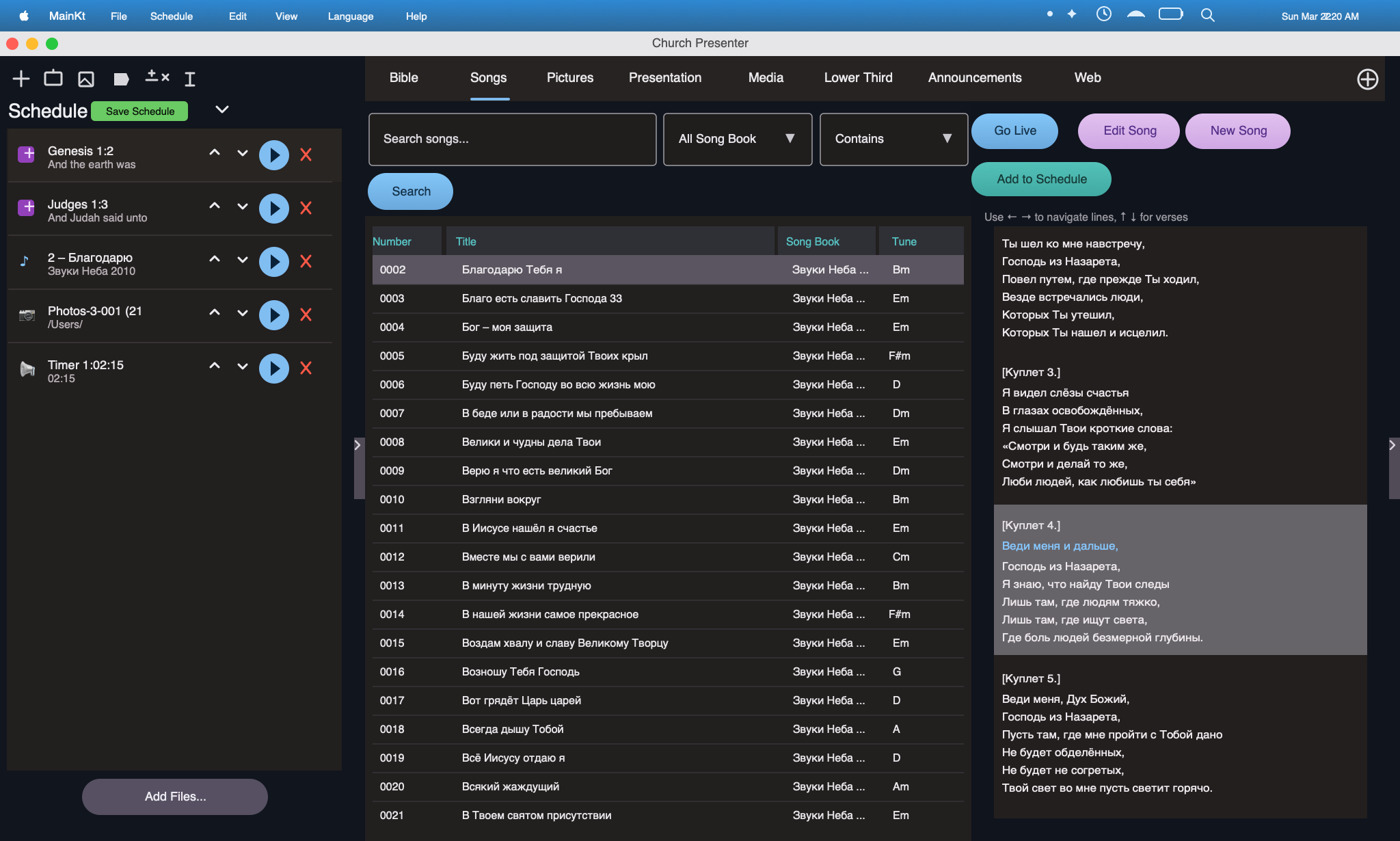
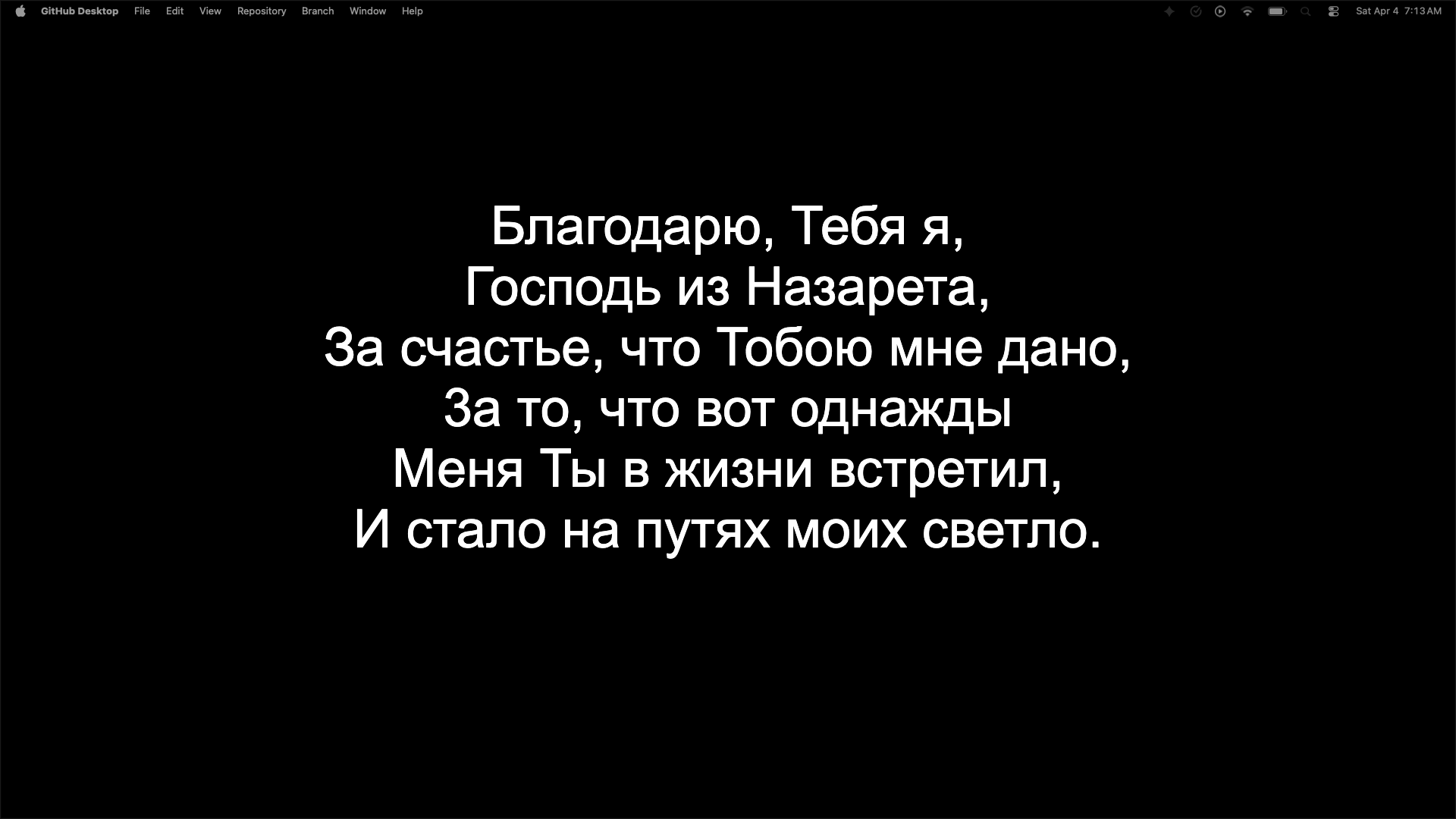
Watch song search, lyric display, and the live worship presentation workflow.
Features
Built for churches of all sizes — from small gatherings to large congregations.
Clean, full-screen output keeps your congregation focused on worship, not UI chrome.
No subscriptions, no seat limits, no hidden costs. Fully open source and community-driven.
No internet required on Sunday morning. Everything runs locally on your machine.
Send output to projectors or TVs while keeping the operator view on your own screen.
Build and manage your congregation's song library. Import lyrics and organise by service.
Minimal setup, intuitive controls. Your volunteers can be up and running in minutes.
Specific to the program
Church Presenter goes far beyond basic lyrics projection with multilingual Bible tools, media playback, schedule planning, mobile control, and deep screen customization.
Use the app with English, Czech, Belarusian, Polish, German, Kazakh, Russian, and Ukrainian support.
Display up to two Bibles at a time, search Bible books in both the current app language and the active Bible language, quickly swap between versions, and select multiple verses for display.
Built-in light and dark themes support automatic switching based on the system theme.
Export and import schedules to make planning ahead and moving services between devices simple.
Quickly bring songs over from previous SoftProjector databases without rebuilding your library from scratch.
Filter songs by book name, song number, song title, or lyric content, then edit every song the way your team needs.
Quickly hide the schedule, jump into the appropriate tab, reopen saved schedule items in seconds, and work with resizable columns.
See exactly what each projection screen is displaying before sending it live.
Present photo albums with support for different image formats, plus Keynote or PowerPoint files with automatic looping and animation options.
Play video files stored on the presenting computer, on another desktop device, or from remote sources.
Create lower thirds with about ten prebuilt types, a quick preview screen, and simple adjustment controls.
Display announcement slides with customizable text and a built-in countdown timer.
Store Bibles and song books externally so upgrades are simpler and your content stays safe between versions.
Adjust Bible screen fonts, colors, alignment, positions, Bible display types, and transition animations.
Customize song fonts, colors, alignment, positions, display modes such as one verse or one line at a time, and show one, two, or both translations together.
Choose Bible and song backgrounds using a solid color, an image, or a looping video.
Define what each screen can project and how it behaves, including full-screen and lower-third output modes.
Run the software as its own server so mobile devices can connect, add items to the schedule, or display items live, with configurable ports, API keys, and allow or block rules that can be managed in settings.
Show stage monitor essentials like current time, next schedule item, presentation notes, and a service timer so speakers stay on track.
Run live Q&A sessions with audience up/down voting, and moderate them from an admin panel designed for conference and event workflows.
Use a flexible canvas area to build custom layouts and presentation flows for unique ministry or event requirements.
Control songs, Bible passages, photos, presentations, and the Q&A admin panel directly from Android and iOS apps connected to Church Presenter.
Transcribe speech to text in real time and translate to any language using machine learning libraries, then display captions live on the presentation screen.
Track every song and Bible verse presented, filter by date range, view top content with interactive charts, and export a CSV file ready for CCLI license reporting.
Convert Bible files and song databases between formats directly inside the app, making it simple to bring content from other software without external tools.
Show any website URL on the presentation screen so the audience can visit it directly, with display styling and position controls.
Mobile web app
Download the latest web build from the Church Presenter Mobile GitHub Actions workflow.
python3 -m http.server 8080
npx serve .
npx http-server . -p 8080System Requirements
Quick minimum specs for each platform. Focus on CPU, RAM, disk, display, and installer details that most users ask about.
| Item | macOS | Windows | Linux |
|---|---|---|---|
| OS version | macOS 11 Big Sur or later (Apple Silicon and Intel supported) | Windows 10 (1809+) or Windows 11 | Ubuntu 20.04 LTS or later (or equivalent glibc 2.31+) |
| Architecture | arm64 (M1/M2/M3/M4) and x86_64 (Intel) | x86_64 (64-bit) | x86_64; arm64 and armhf also supported |
| CPU | Modern 64-bit dual-core CPU | ||
| RAM | 512 MB free heap (1.5 GB recommended, 2+ GB total system RAM) | ||
| Disk | ~300-500 MB for the app + space for Bible databases and media files | ||
| Display | 1280x720 or higher; secondary display recommended for presenter output | ||
| Video playback | VLC must be installed (brew install --cask vlc) | VLC must be installed (https://www.videolan.org) | VLC must be installed (sudo apt install vlc) |
| Display server | - | - | X11 or XWayland |
| DBus | - | - | Required for native file chooser (pre-installed on all major distros) |
| Optional hardware | DeckLink video output: Blackmagic DeckLink card + DeckLink drivers installed Multiple displays: Recommended — one for operator, one (or more) for projection | ||
| Item | iOS | Android |
|---|---|---|
| OS version | iOS 16.0 or later | Android 7.0 (API 24) or later |
| Architecture | arm64 (iPhone 8 or later) | arm64-v8a, armeabi-v7a, x86_64 |
| Storage | ~50 MB | |
| Network | Wi-Fi on the same local network as Church Presenter desktop | |
FAQ
Yes, completely. Church Presenter is open-source software released under a permissive licence. There are no subscriptions, no tiers, and no feature paywalls — now or in the future.
Church Presenter runs on macOS, Windows, and Linux. Download the installer for your platform from the releases page on GitHub.
No. Church Presenter is entirely offline-first. Once installed, your song library and service plans are stored locally and available with or without a network connection.
Yes. You can send the presentation output to any connected display — projectors, TVs, or monitors — while keeping the operator view on your laptop or primary screen.
Songs can be added manually through the built-in editor. Type or paste lyrics, organise them into sections (verse, chorus, bridge), and save them to your library for reuse across services.
Head to the GitHub repository ↗ . Pull requests, bug reports, and feature suggestions are all welcome.
Support
Use the links below to open a prefilled issue on GitHub for bugs or feature ideas.
Download Church Presenter and simplify your worship presentation.